
Description
Game Introduction
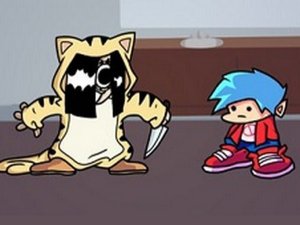
Rhythm Clash with Soft Taki is a music-based game where players take on the role of a performer facing off against Soft Taki, a character known for her energetic musical presence. The core objective is to match on-screen prompts in time with the music, progressing through songs to complete the performance. This mod was created by Esaki, with concept art by RVE_rvenn, as part of the Friday Night Fever team's work. It is an open-source project, and players can support the original developers like ninjamuffin99 and others. The game offers a unique blend of music and timing challenges, making it appealing to fans of rhythm games.
How to Play
To play, start by selecting either story mode or free play mode from the main menu. When arrow symbols appear above the character's head, press the matching arrow keys on your keyboard. Timing is important; hit the notes correctly to keep the music flowing. If you miss multiple notes in a row, the song ends and you must try again. Practice helps improve your performance, so keep playing to reach the end of each track. The game is easy to learn but becomes more challenging as you progress, testing your sense of rhythm.
Game Features
This rhythm game includes both story mode and free play mode, allowing players to choose their preferred way to play. It features challenging note charts that require good timing and coordination. As a mod, it includes unique character designs and music created by the community. The open-source nature of the game encourages contributions from fans and supports the original developers.
Tips for Success
Focus on your timing and practice regularly to improve your rhythm skills. Start with easier songs to build confidence before moving to harder tracks. Pay attention to the note patterns and try to anticipate upcoming arrows. If a section feels difficult, consider using a practice mode to slow down the speed if available. Stay relaxed and keep a steady pace to avoid missing notes.







Player Comments
Sign in to comment
You must be logged in before posting a review or rating.
No account? Create one
No comments yet. Be the first to comment!