
Description
Game Introduction
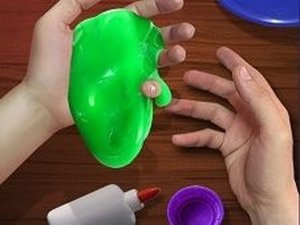
Creative Slime Craft Studio is a digital crafting experience designed for children and families who enjoy hands-on creative activities. In this game, players learn to make their own slime from scratch by mixing simple virtual ingredients such as PVA glue, starch glue, and water. The main objective is to create a smooth, even slime base and then personalize it with a variety of decorations including glitter, shapes, and models. This game encourages imaginative play and artistic expression in a safe, mess-free environment. There are no real chemicals or cleanup required, making it an ideal activity for young crafters. The game promotes fine motor skills and creativity through a friendly, easy-to-use interface. Players can experiment with different combinations to produce unique slime creations each time they play. The overall experience is designed to be educational and entertaining, providing a constructive outlet for creativity without any inappropriate content.
How to Play
Players begin by selecting the correct amounts of each virtual ingredient and pouring them into a mixing bowl. Using simple mouse clicks and drags, you stir the mixture until it becomes smooth and even. Once the slime base is ready, you can choose from a variety of models and decorations to add sparkle and shape your slime into fun forms like stars or animals. Finally, use the camera tool to take a picture of your finished slime. The controls are easy and intuitive, making it accessible for players of all ages. The game provides clear visual cues to guide each step, so even young children can enjoy the process independently.
Game Features
This game offers a creative slime-making experience with safe, virtual ingredients. Players can choose from various models and decorations to customize their slime. The game features easy mouse controls that are simple for kids to learn. A built-in camera tool allows you to take and share pictures of your creations. It provides a fun and educational crafting activity that promotes fine motor skills and imaginative play in a secure, ad-free environment. The interface is colorful and engaging, designed to hold the attention of young players while encouraging repeated play.
Tips for Success
To make the best slime, follow the ingredient amounts carefully and stir thoroughly until the mixture is smooth. Experiment with different models and decorations to discover your favorite combinations. Take your time during the mixing step to avoid lumps. Use the camera tool to save your best creations and share them with friends or family. Practice regularly to improve your slime-making skills and try new designs each time you play.




Player Comments
Sign in to comment
You must be logged in before posting a review or rating.
No account? Create one
No comments yet. Be the first to comment!