
Description
Game Introduction
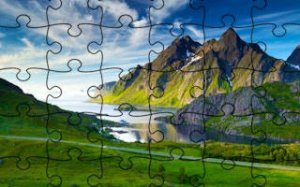
Jigsaw Puzzle: Scenic Landscapes is a free online puzzle game that invites you to explore beautiful landscapes from around the world. Each puzzle presents a stunning image of nature, such as mountains, beaches, forests, or cityscapes, broken into many pieces. Your goal is to reassemble the image by dragging and dropping pieces into the correct positions. This game is designed for both puzzle enthusiasts and casual players, offering a mental challenge in a calm setting. It runs directly in your web browser without any downloads or installations, making it easy to start playing instantly. The game is family-friendly and suitable for all ages, providing a relaxing way to unwind and have fun.
How to Play
Getting started is simple. When you begin a puzzle, you will see a landscape image divided into many pieces. You can use your mouse to hover over pieces to see a preview. To move a piece, click and hold the left mouse button, then drag it to where you think it belongs on the main board. Release the button to place it. You can use visual clues from the image and the shapes of the pieces to guide you. The game encourages a trial-and-error approach, so take your time and enjoy the process of revealing the full picture piece by piece.
Game Features
Jigsaw Puzzle: Scenic Landscapes offers a collection of beautiful landscape images from around the world. The controls are intuitive, making dragging and dropping pieces simple and satisfying. The game provides a brain-teasing challenge that tests your observation and spatial reasoning skills. There are no timers or pressure, allowing you to play at your own pace in a relaxing atmosphere. It is accessible to all ages and skill levels, with no prior puzzle experience needed. The game is completely free and runs directly in your browser without any downloads.
Tips for Success
Start by sorting pieces into edge pieces and interior pieces to build the frame first. Look for distinctive colors or patterns in the image to group similar pieces together. Work on small sections at a time, such as a mountain peak or a patch of ocean. Take breaks if you feel stuck—sometimes a fresh perspective helps. Use the preview feature to see where a piece might fit. Most importantly, enjoy the process and do not rush; the goal is relaxation as much as completion.


Player Comments
Sign in to comment
You must be logged in before posting a review or rating.
No account? Create one
No comments yet. Be the first to comment!