
Description
Getting Started with Digital Art
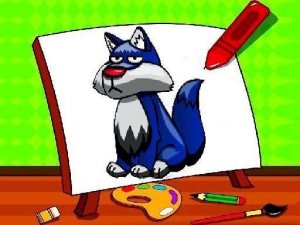
Creative Colorful Friends Drawing Pad opens with a selection of friendly cartoon characters waiting to be colored. Children simply pick a character from the gallery to begin. The interface uses large, clearly marked buttons that respond to taps or clicks, making navigation straightforward even for very young users. Parents may need to start the application initially, but most children quickly learn to select their own pictures and colors independently.
Color Selection and Application
Once a picture is chosen, a palette of vibrant hues appears at the bottom of the screen. Tapping or clicking any area of the drawing fills that section with the selected color. Children can switch colors as often as they like, encouraging experimentation with different combinations. The outlines are bold and clear, helping kids see where each section begins and ends, though coloring outside the lines is perfectly acceptable.
Sharing and Displaying Artwork
After completing a picture, families can print the artwork directly from the application. This feature allows children to display their creations on a wall, refrigerator, or in a scrapbook. The ability to print multiple copies means siblings can each color the same character differently, comparing their unique interpretations. This process reinforces a sense of accomplishment and pride in their work.
Safe and Independent Play
The application operates without timers, scores, or penalties, so children control the pace entirely. No internet connection is required during use, which adds a layer of safety and convenience for travel or offline play. The environment remains free of advertisements or external links, ensuring a focused and secure experience for young users.





Player Comments
Sign in to comment
You must be logged in before posting a review or rating.
No account? Create one
No comments yet. Be the first to comment!